Codeoid: cross-session memory and identity for Claude Code
An open-source Bun daemon that adds verbatim cross-session memory, three-layer context reduction, and per-agent ZeroID identity to Claude Code. Plus codeoid-ui: a native Rust/Ratatui cockpit.
TL;DR. codeoid is a Bun daemon that wraps the Claude Agent SDK with cross-session SQLite memory (FTS5 + vectors), three-layer context reduction, and cryptographic per-agent identity via ZeroID. codeoid-ui is the companion Rust/Ratatui cockpit. Both open-sourced today under MIT.
The problem with stateless sessions
Every Claude Code session starts cold. The agent reads CLAUDE.md, greps for relevant files, builds up context — and by the time it actually gets to the task, it’s already spent 20 turns and a non-trivial fraction of the token budget on ground it covered last week.
The CLI’s /compact command addresses within-session context growth, but it’s lossy: it compresses episodes into a summary and discards the detail. Cross-session there’s nothing at all. Start a new terminal on the same codebase and the agent has no memory of what it found the last time, what files it read, what architectural decisions it reasoned about, or what mistakes it nearly made.
For a one-off task this is fine. For multi-session work on the same codebase over weeks — iterating on a feature, doing a security audit, incrementally shipping a large migration — the stateless model is genuinely expensive, both in tokens and in time spent re-establishing context.
Three specific failure modes:
-
Re-read cost. The first 20 turns of a session on a large codebase go toward reads the previous session already did. At 0.30 context build-up that repeats 10 times over two weeks is $3 of pure overhead.
-
Lossy compaction. A summary of last session’s findings is not the same as the findings. The raw bytes — the exact file content, the exact tool call result — are the things you want back. A summary of them introduces the same hallucination surface as any other generation step.
-
No delegation audit. Claude Code can spawn sub-agents. There’s no mechanism to track which agent made which tool call, what identity it was acting under, or whether a given action was authorized at the right level of the hierarchy.
What codeoid adds
  Terminal TUI  ──┐
  Web UI         ──┼──▶  Codeoid Daemon (Bun)  ──▶  Claude Agent SDK
  Telegram       ──┘         │         │
                             │         └──▶  ZeroID (identity + audit)
                             └──▶  Memory (SQLite + embeddings)
The daemon owns the session. Clients — TUI, web, or Telegram — attach to it over WebSocket, receive scrollback replay, and stream live deltas. The client is stateless; the daemon is not. Detach and re-attach from a different device and the session is intact.
Cross-session memory
Every episode — tool call, tool result, reasoning block, assistant reply — is chunked and stored in SQLite. The schema has three retrieval paths: exact FTS5 match, vector similarity (embeddings), and recency. The MCP server that runs in-process exposes three tools to Claude:
recall(query)— hybrid retrieval across all past sessions in the workspace, ranked by relevance + recency.recall_file(path)— return the most recent read of a specific file, if it hasn’t changed since. Skips the Read tool call entirely on cache hit.timeline(limit)— recent episodes in chronological order, for orienting a new session.
Memory is anchored to the git common directory, so two sessions on two worktrees from the same repo share the same index. Session B running on feature/auth can recall what Session A found on main yesterday. The workspace index — hot files, topic clusters, recent session summaries — is auto-regenerated and injected into the system prompt.
There is no compaction. Recall returns the real bytes. The FTS5 index plus the vector index give you two different retrieval strategies for the same corpus: keyword search for specific function names or error messages, semantic search for “what did we learn about the authentication flow.”
Three-layer context reduction
Running a large codebase through Claude Code generates substantial CLI output on every turn: git diff, test runner output, grep results, stack traces. Naively, these expand the context rapidly.
Codeoid handles this at three layers:
Layer 1: Pre-entry compression. Before injecting CLI output into the context, a declarative ruleset trims it. A git diff --stat on a 300-file changeset might be 3,000 tokens; the compressed version retains the changed paths and line counts but drops the diff bodies, tee-caching them for full recall later. In practice: 60–90% reduction on large outputs, with nothing lost — the full bytes are in SQLite.
Layer 2: Auto-rotation. The daemon tracks context occupancy continuously. When the session approaches the compaction ceiling, it rotates: it writes a memory snapshot to SQLite, starts a new backing context, and seeds it with a recall pass over the most relevant recent episodes. The new context starts at ~15% occupancy instead of the compaction threshold.
Layer 3: Recall seeding. New sessions and post-rotation contexts are seeded with the workspace index and a recall pass over the last few sessions. The agent starts session 31 with the key findings from sessions 1–30 already present, at a fraction of the cost of re-deriving them.
The combined effect: a turn that costs $0.30+ on a cold fresh-context session costs pennies once the memory layer has warmed up. The StatusBar shows this live:
ctx 65k/1.0M (7%) · cache hit 68% · Δ $0.04 · cumulative $2.17Per-agent cryptographic identity
Every tool call the agent makes is stamped with a SPIFFE URI:
spiffe://codeoid.local/agent/codeoid-session-7838ee1dSub-agents spawned from a session receive attenuated tokens — they inherit a narrower scope than the parent, signed by the parent’s identity. The delegation chain is stored alongside each episode in SQLite:
session-7838ee1d
  └── subagent-a3f1 (attenuated: read-only file access)
        └── tool call: Read /src/auth/middleware.go
This is the WIMSE identity model (IETF draft-ietf-wimse-workload-identity) applied to a coding agent hierarchy. The practical consequence: you can answer “which agent made this tool call, acting under what authority, and was that authority delegated from what root?” — something no other coding agent tool currently provides.
The identity service is ZeroID. Codeoid ships pointing at the Highflame SaaS issuer (sign up at highflame.ai → Studio → Code Agents); there’s also a self-host option if you want to run your own ZeroID.
Multi-frontend and device handoff
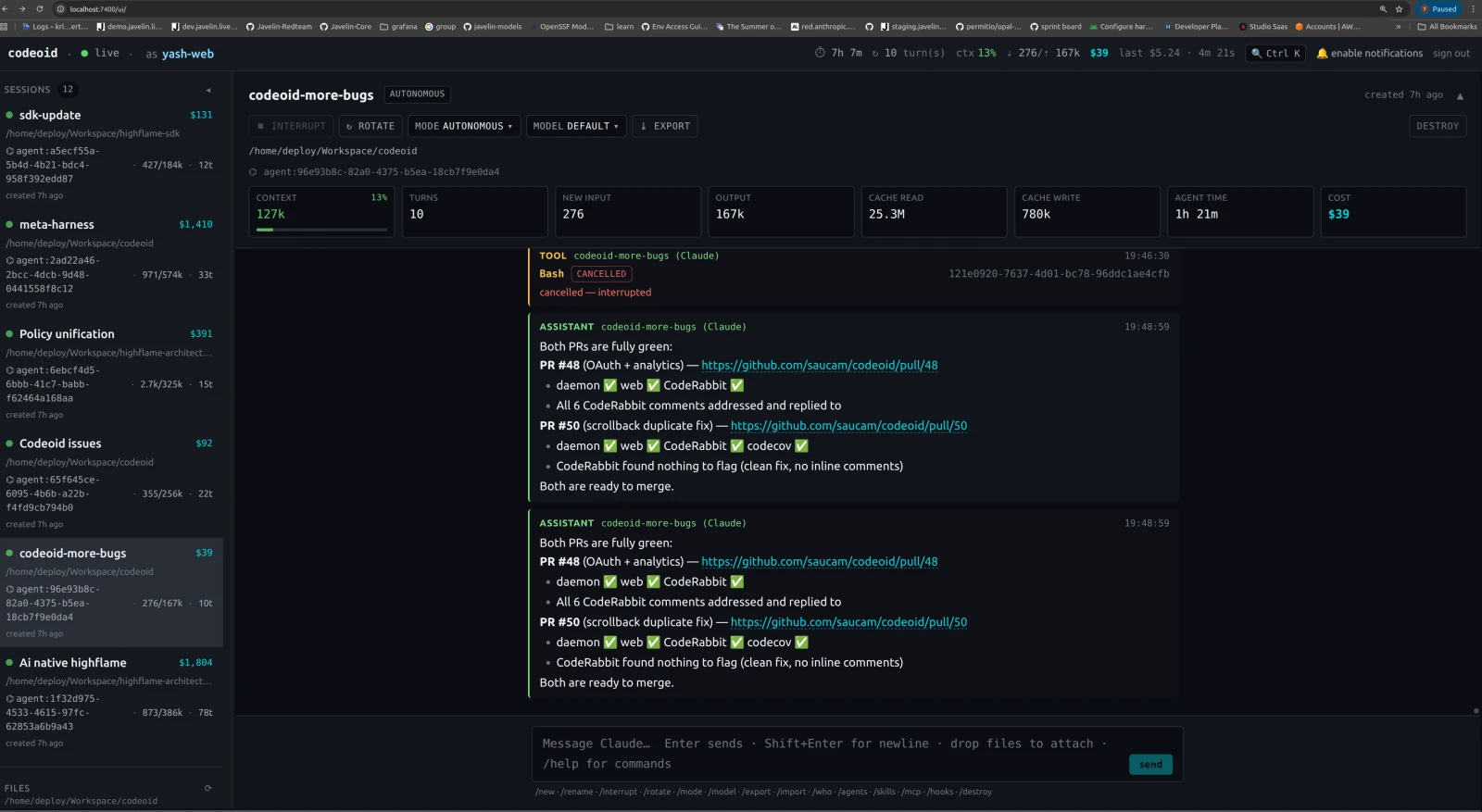
The daemon serves three client interfaces on the same session:
- Terminal TUI — the built-in Ink/React cockpit (zero-install, ships in this repo)
- Web UI — SolidJS at
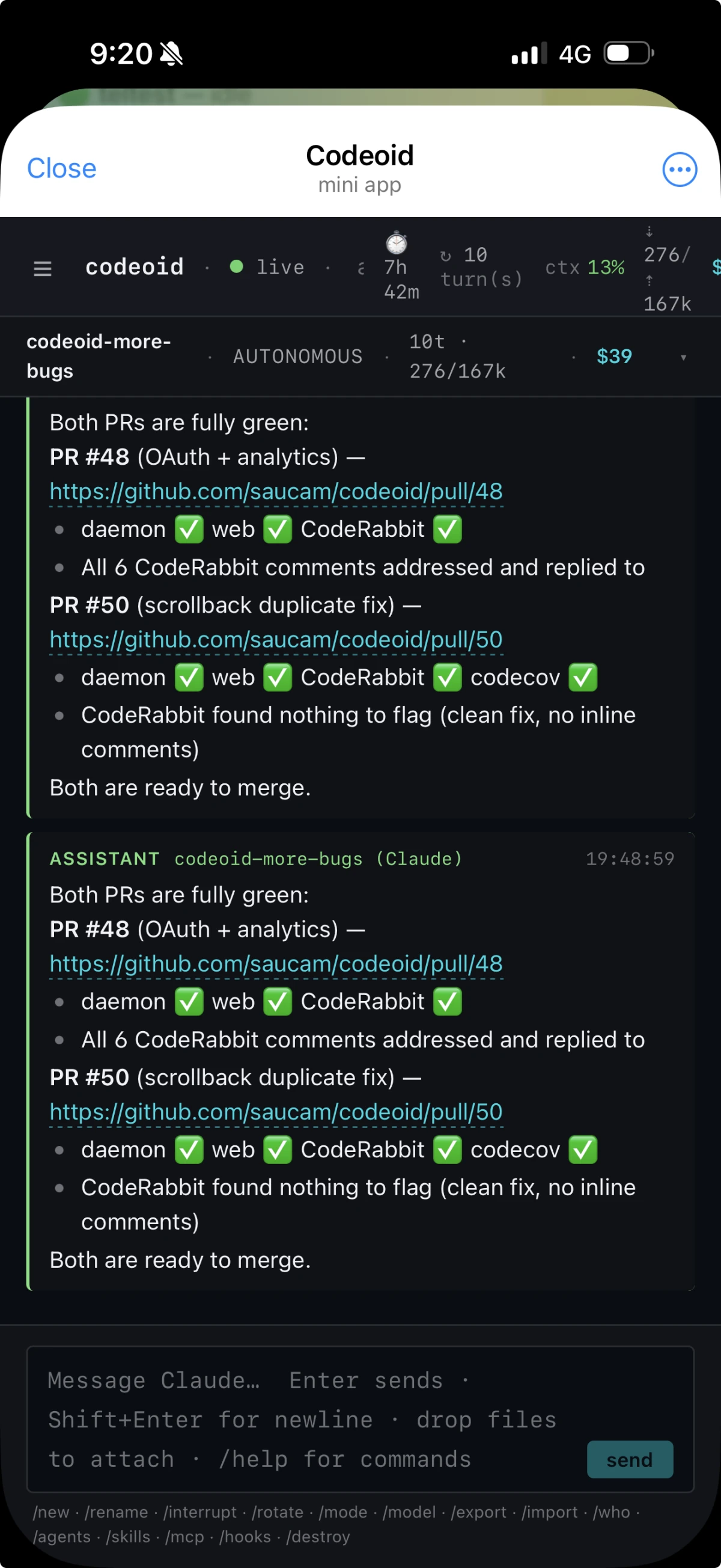
localhost:7400/ui - Telegram bot — via grammy; share a read-only token with a teammate
All three receive the same scrollback replay on attach. Start a session from your laptop’s TUI, attach from your phone’s Telegram bot, continue from a browser tab — the session is the same object throughout. The two screenshots below are the same codeoid-more-bugs session, viewed from a browser and from a phone at the same moment.
codeoid-ui: the Rust cockpit
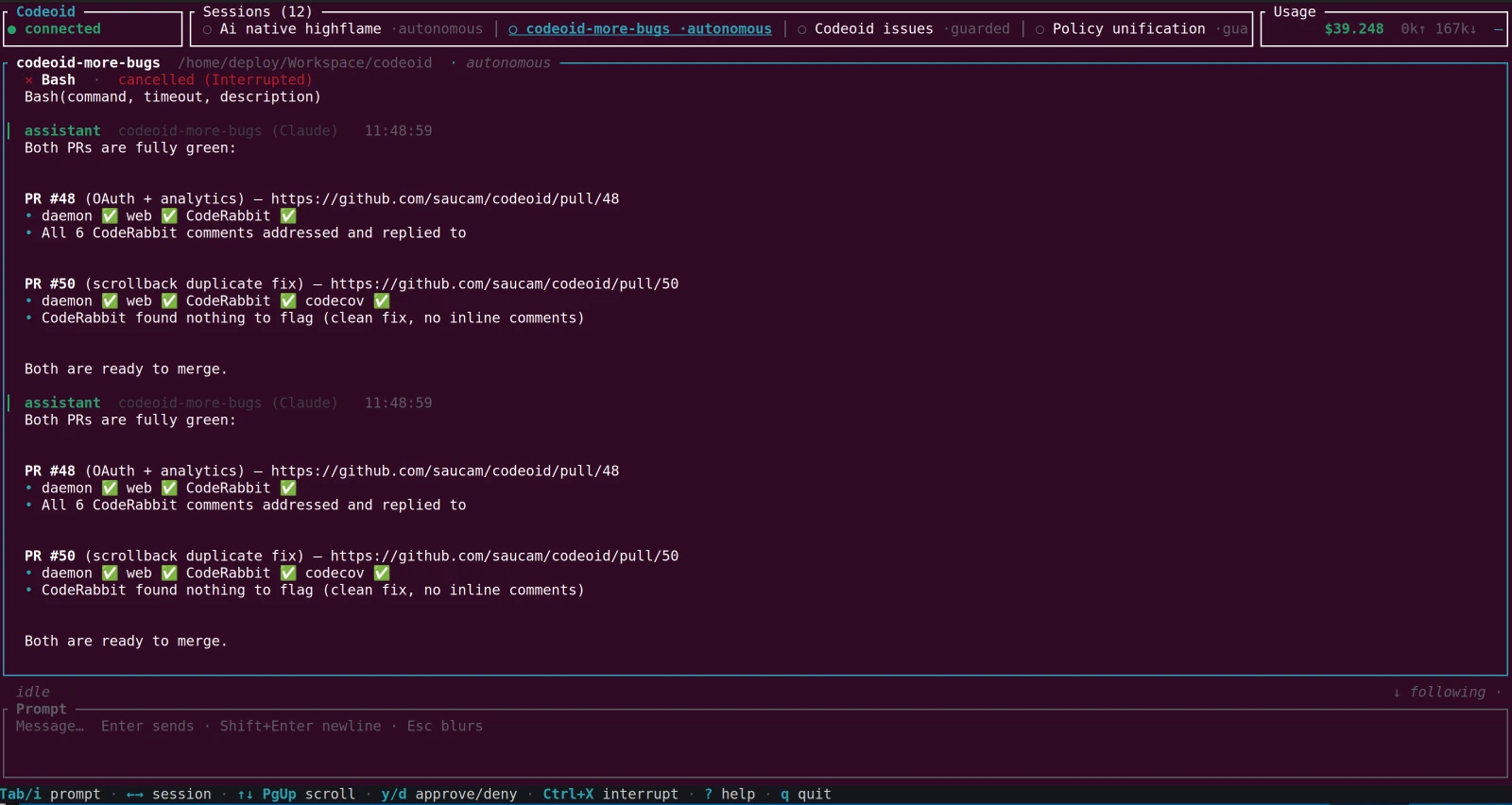
The built-in Ink/React TUI is fine for quick use, but under high-frequency streaming deltas — rapid tool call results, sub-agent output, StatusBar updates — it can jitter. Ink renders via React reconciliation on every delta; a native cell-matrix framebuffer does not.
codeoid-ui is a Ratatui application that speaks the same WebSocket protocol as the other frontends. It renders a session log, a multi-session tab bar (arrow keys to switch), a StatusBar, and a command input. Because it owns the terminal cell matrix directly, it stays jitter-free regardless of streaming throughput.
Getting started
Prerequisites
- Bun v1.0+
- Claude Code CLI logged in (
claude login) orANTHROPIC_API_KEYset - A ZeroID identity — either the Highflame SaaS (no infra) or a self-hosted ZeroID
Install and run
git clone https://github.com/saucam/codeoid.git
cd codeoid
bun install

# Authenticate (prompts for zid_sk_... key, saves to ~/.codeoid/config.json)
bun src/cli.ts login

# Start the daemon
bun src/cli.ts start

# Connect the built-in TUI (or install codeoid-ui for the Rust cockpit)
bun src/cli.ts tui
For the Rust cockpit:
git clone https://github.com/saucam/codeoid-ui.git
cd codeoid-ui
cargo run -p codeoid-tui --release
Point it at localhost:7400 (the daemon’s default port) and it connects.
What codeoid doesn’t do
It’s worth being explicit about the scope. Codeoid is not:
- An inline IDE assistant. Cursor, Copilot, and the VSCode extension are better at “fix this function I’m looking at right now.” Codeoid has no LSP integration, no diff UI, no file tree.
- A multi-model router. There’s no “use Haiku for cheap subtasks, Opus for planning.” Single-model per session is the current design; routing is on the roadmap.
- A SWE-bench player. Codeoid hasn’t been benchmarked on automated coding benchmarks. That’s not the niche — the niche is long-horizon multi-session work on real codebases, which automated benchmarks don’t measure.
If you’re doing long-horizon work on the same codebase over weeks — a large migration, an ongoing security audit, a feature built across many sessions — and you want the agent to actually remember what it learned, codeoid is built for that.
Repositories
- codeoid: github.com/saucam/codeoid — daemon, memory engine, ZeroID integration, multi-frontend
- codeoid-ui: github.com/saucam/codeoid-ui — Rust/Ratatui TUI cockpit
Both MIT.